
150+ Best Roblox Display Name Ideas (2026): Aesthetic, Boys, Girls & Duo Tags
Looking for a clean, standout display name for your Roblox avatar? In this definitive guide, we explore why seasoned Roblox gamers embrace gentle aesthetics over tacky mobile symbols, unveil 150+ copy-paste display tags, and provide a step-by-step tutorial on updating your name for free.
The Aesthetic Shift: Why Roblox Gamers Choose Aesthetics Over “Stylish” Symbols
If you have spent any time playing mobile battle royales like Free Fire, PUBG Mobile, or Mobile Legends, you know the drill: players compete to cram as many ornamental crowns (亗), decorative angel wings (꧁༺...༻꧂), and zalgo glitch fonts into their 12-character limit as humanly possible.
In the Roblox ecosystem, however, naming culture took a radically different path. Experienced Roblox players, content creators, and competitive clan members actively avoid heavy unicode symbols. In Roblox circles, overloading your tag with random wing glyphs or crosshairs is viewed as tacky, cluttered, or dated.
Roblox culture embraces minimalist aesthetics: all-lowercase handles, soft nature or cafe terms, clean one-word tags (cloudy, velvet, solaris), and subtle prefixes like itz_,ii_, or not_. These names look clean above avatars, read effortlessly in leaderboard scoreboards, and complement avatar clothing aesthetics seamlessly.
Roblox Username vs. Display Name: The Fundamental Rules
Before picking a name, it is essential to understand the difference between your Username and your Display Name on Roblox. They are two separate entities with entirely different constraints:
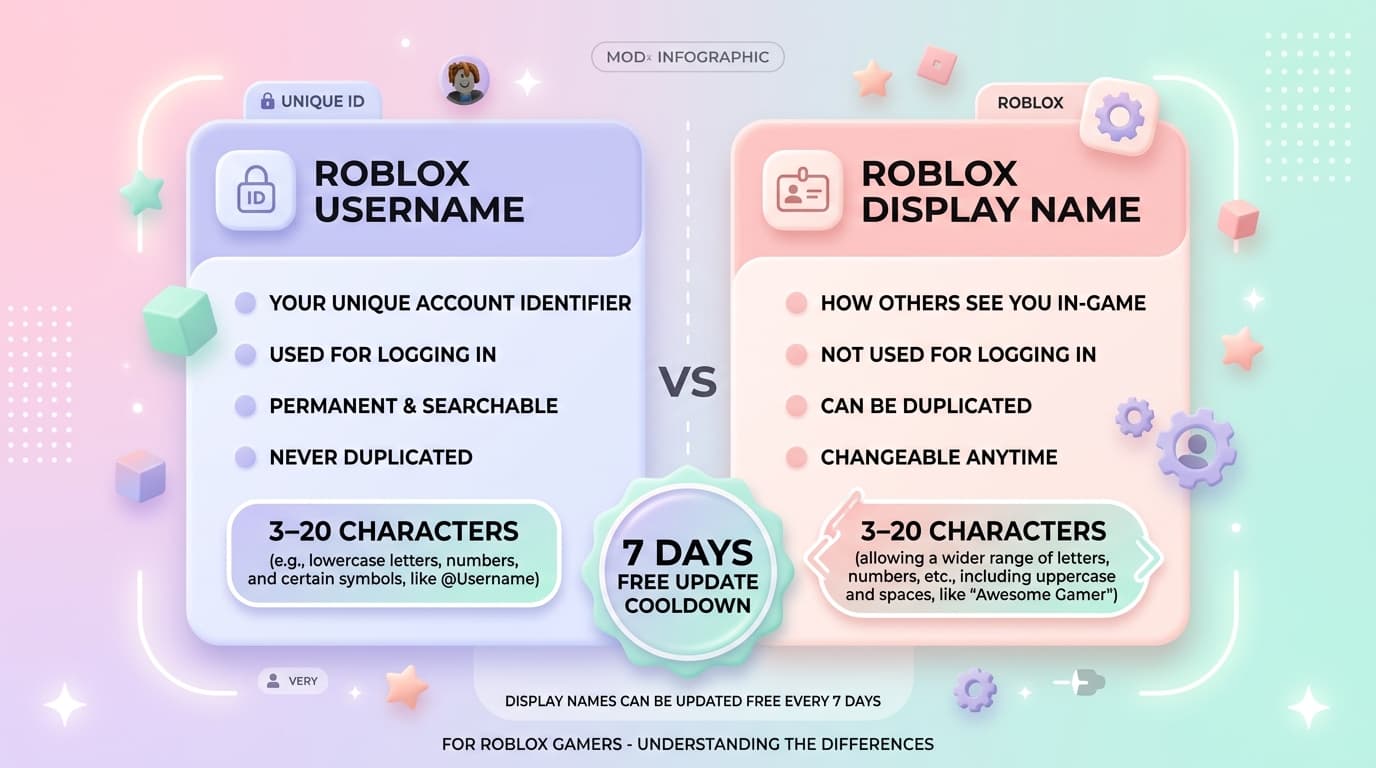
| Feature | Roblox Username (@handle) | Roblox Display Name |
|---|---|---|
| Primary Purpose | Account login, trading, profile URL | In-game nametag above avatar & chat |
| Character Limit | 3 to 20 characters | 3 to 20 characters |
| Allowed Characters | Letters, numbers, max 1 underscore (no start/end) | Letters and numbers (no spaces, dots, or symbols) |
| Uniqueness | Must be 100% unique across all Roblox | Can be shared! Multiple players can share a display name |
| Cost to Change | 1,000 Robux (~$12.50 USD) | 100% FREE! |
| Cooldown Period | Instant (if Robux paid) | Once every 7 days (168 hours) |
Roblox account Display Names do not support spaces, dots, emojis, or mathematical Unicode fonts in account settings. If you try to input spaces (e.g. c l o u d y) or special symbols, Roblox will reject it. (Note: Custom roleplay games like Brookhaven RP and Royale High have separate in-game nametag textboxes that allow spaces and symbols, but your platform-wide Display Name must be alphanumeric).
* Pro Tip: Because Display Names do NOT have to be unique, you can finally rock highly sought-after aesthetic one-word names like “Cloudy”, “Velvet”, or “Peachy” without paying 1,000 Robux or settling for awkward random numbers!
Browse & Copy 50+ Aesthetic Display Names
How to Change Your Roblox Display Name (Step-by-Step)
Changing your Roblox Display Name is fast, simple, and completely free. Follow these platform-specific steps:
- Open the Roblox App and tap the three dots (...) in the bottom right corner.
- Scroll down and tap Settings.
- Select Account Info.
- Tap the Pencil icon next to Display Name.
- Type your new aesthetic name and tap Save.
- Log in to roblox.com.
- Click the Gear icon in the upper right corner and select Settings.
- Under Account Info, find the Display Name row.
- Click the edit pencil icon on the far right.
- Enter your new display tag and click Save.
- On consoles, your Xbox Gamertag or PSN Online ID is shown by default in certain experiences.
- To update your Roblox Display Name, log in via a mobile browser or PC with your linked Roblox account.
- Change the Display Name in Account Settings; it syncs across all experiences supporting custom displays!
Matching & Duo Roblox Display Names for Friends & Couples
Roblox is inherently social. Whether you are running duo obbies, grinding Bedwars, building a home in Bloxburg, or streaming together, matching display names show off your synergy. Here are the top aesthetic pairs:
Sun & Moon • Angel & Demon • Solar & Lunar
Milk & Honey • Coffee & Tea • Cookie & Cream
Lost & Found • Echo & Whisper • Silence & Scream
Peanut & Jelly • Salt & Pepper • Butter & Toast
Ready to Build Your Aesthetic Roblox Identity?
Use our specialized tools to generate instant aesthetic usernames, test Roblox 3-20 character rules in real time, and discover hundreds of ideas for boys and girls.
Frequently Asked Questions About Roblox Display Names
Can multiple players have the exact same Roblox Display Name?▼
Yes! Unlike official usernames (@handles) which must be globally unique, Roblox Display Names do not have to be unique. Hundreds of players can simultaneously use “cloudy” or “zenith” as their display name.
Does changing my Display Name cost any Robux?▼
No. Changing your Display Name is 100% free of charge and can be updated once every 7 days. Only changing your permanent account Username (@handle) requires 1,000 Robux.
Why did my Display Name turn into hash symbols (####)?▼
If your chosen name is censored with hashtags, it triggered Roblox's automated safety filter. This happens if the text resembles personal identifying information (full real names, phone numbers), inappropriate language, or external social media handles. Roblox will reset your display tag to your @username.
Can other players still see my real username?▼
Yes. Even if you have a custom Display Name, your real username will still appear under your profile with an “@” symbol (e.g. Display Name (@Username)). Friends can search for you using either your username or display name.